The Data Warrior

Changing the world, one data model at a time. How can I help you?

Archive for the category “SQL Developer Data Modeler”

Another Free Tip for SQL Developer Data Modeler (and a Challenge)

So here is another tip on using Oracle SQL Developer Data Modeler – but this time it is one I will NOT be showing during my session at #KScope13.

In SDDM there is a really nice wizard for building views. Once your view is built, you should probably test it right?

You could generate the DDL, or use DDL Preview, then open up SQL Developer, run the script to build the view, then select from the view to see the results.

Lotta steps, eh?

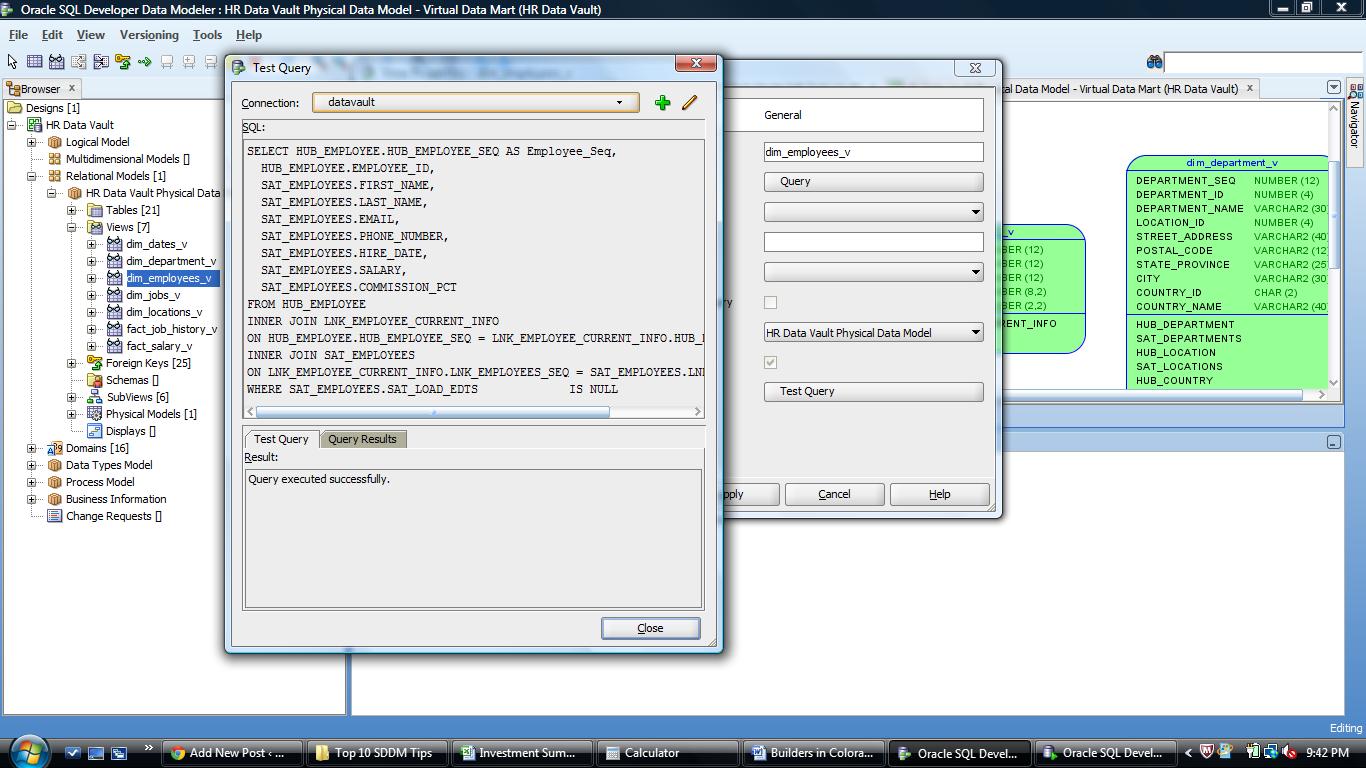
Or you could simply use the Test Query button on the View Properties dialog.

Press the button, then select a database connection from the drop down list (or create a new one if you need to). This will create a connection to the database and cause the SQL in the view to be executed. If everything works you will see “Query executed successfully”.

The Test Query button will first check that the SQL will execute

The Test Query button will first check that the SQL will execute

If you want to see the output of the query, just click the Query Results tab.

The Query Results tab lets you examine the output without opening another tool

The Query Results tab lets you examine the output without opening another tool

Pretty cool. And must faster than the old way.

Now for the Challenge:

  1. You must be attending KScope13.
  2. You must be the first person to find me onsite in New Orleans and tell me you read this post.
  3. You then have to show up at my Top Ten Tips session at the conference, join me at the podium and tell the attendees this tip!

Your reward:

  1. It might be your first chance to present at an international conference.
  2. I will buy you the adult beverage of your choice that evening and chat about SDDM (or another topic of your choosing).

Not a million dollars, but who knows where it might lead or who else you might meet along the way.

So, who’s up to the challenge?

See you in New Orleans.

Oh – if oyu missed the first tip, it is here.

Kent

P.S. Jeff (@thatJeffSmith) and Chet (@OracleNerd) – sorry guys but you are not eligible! (I may buy you beer anyway)

The 1st Tip is Free: Oracle SQL Developer Data Modeler

This year’s ODTUG KScope conference is less than a month away and I am ready to get to New Orleans and meet up with all my friends and colleagues to talk shop and learn some new things.

So in hopes of getting you to attend, I will share with you one of my productivity tips for using SQL Developer Data Modeler (SDDM).

DDL Previewer

I love this tool. I use it every single day in my work building data warehouses for my clients.

Really.

It’s easy – just right click on the table (or view) you want to check and Voila!

Right mouse over object to get preview option

Right mouse over object to get preview option

Once you pick “DDL Preview”, then you get the DDL in another window.

Example of DDL script in Preview Window

Example of DDL script in Preview Window

With this you can:

1. Check the design to see if it is what you wanted/expected.

2. Copy and paste it to a worksheet in SQL Developer where you can then execute it (if you have the rights!).

One more cool thing is that if you leave the DDL window open, you can now click on any other object in the open diagram and instantly see the DDL for that object.

So there you go – really 3 tips for the price of one!

If you want more, I will be presenting my Top 10 SDDM Tips and Tricks at KScope13 in New Orleans in a few weeks. So go register now!

See you in NOLA!

Kent


Get thee to KScope13!

Jeff Smith (@thatjeffsmith) just posted a great little piece about why you can’t afford to miss this year’s ODTUG event in New Orleans: KScope13. As usually I will be speaking there as well and running my now annual Morning Chi Gung classes.

Get thee to KScope13!

See you there.

Kent

RMOUG Training Days 2013 – Day 2

So on this 2nd and final day of the annual RMOUG Training Days event, I started out by attending an excellent session on Exadata for Oracle DBAs.

Even though I am not a DBA these days I thought it would be good for me to get a better understanding of Oracle’s engineered Exadata machine.

I feel very luck to have attended this session given by Oracle Technologist of the Year, and ACE Director, Arup Nanda. He had some of the best graphics and clearest explanations of the basic anatomy of an Oracle database I have ever seen or heard.
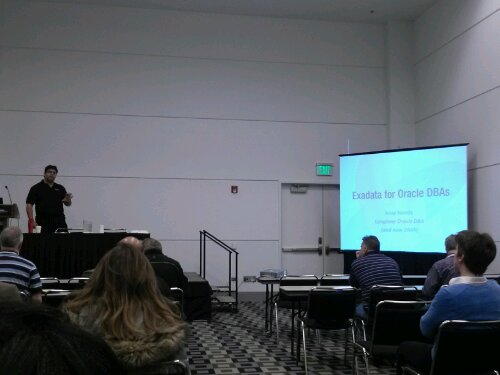
Technologist of the Year, Arup Nanda, Database Machine Administrator

Technologist of the Year, Arup Nanda, Database Machine Administrator

He gave some pretty detailed explanations of what he called the “magic” of Exadata and why it works so well. Arup even coined a new job title, which he claims for himself, DMA – Database Machine Administrator. Because Exadata is an engineered system, it contains database, storage, and networking all in one rack. This requires some skills beyond what most dbas have or are expected to have.

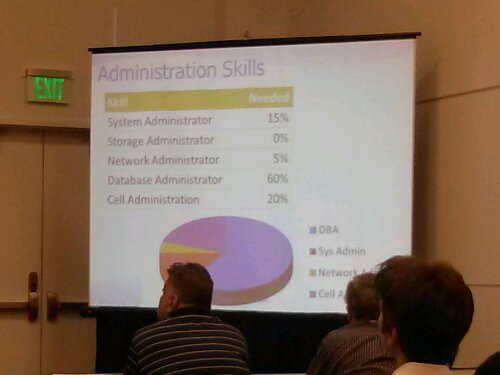
He gave us a nice break down based on his experience using Exadata.

Break down of skills needed to be a successful Exadata DMA

Break down of skills needed to be a successful Exadata DMA

After this talk I can see why he was give the awards. He really knows his stuff and how to communicate it. You can follow him on Twitter @ArupNanda and see for yourself.

Next I went to see my friend,and ACE Director, Galo Balda from Austin, Texas. He gave a very informative talk about Regular Expressions.

ACE Director, Galo Balda, doing his very first presentation

ACE Director, Galo Balda, doing his very first presentation

His presentation was very informative with easy to understand examples of how to write and use regular expression and associated metacharacters to do some pretty neat things with SQL. If you attended the conference be sure to download his slides. They will make a great cheat sheet.

You can follow him on Twitter @GaloBalda or go to his blog.

After a nice vegetarian lunch, I went to see Maria Coglan talk about using (or not using) hints in SQL and how it affects the optimizer. Last year at Kscope12, I attended one of her optimizer sessions and felt like my head would explode becuase of all the information she gave. She assured me this talk would not be as bad.

She was right. It was a very informative talk.
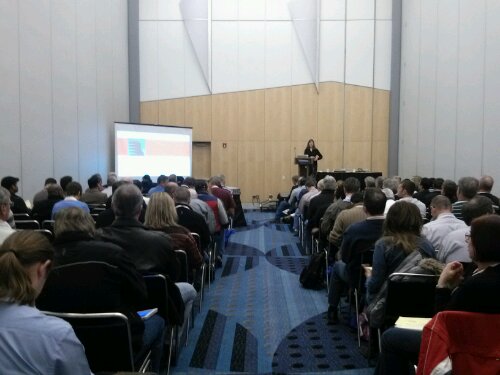
A full house to see Maria Coglan discuss Hints and the Optimizer

A full house to see Maria Coglan discuss Hints and the Optimizer

Her main message was to always use caution when using hints. You really need to understand what you are or doing or you could make your application or reports run worse rather than better.

Maria even explained how to work with applications that already have hints embedded in them.

Approach to ignoring hints in an existing application

Approach to ignoring hints in an existing application

Get her slides and follow her on Twitter @SQLMaria

After Maria’s session I did my final session for the event. I talked about my Top 10 favorite cool tools in SQL Developer Data Modeler. There were 30 or so people in attendance. Most of them even stayed through the whole talk!

Which is pretty good since I ran over my time. There was just so many tips and tricks to show.  I will put it up on SlideShare in the next few days.

The final session for the event that I attended was done by RMOUG President, my long time friend, Tim Gorman.

Tim talked about the various options for data compression in the Oracle stack.
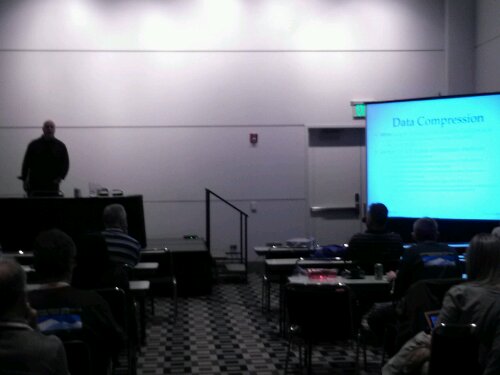
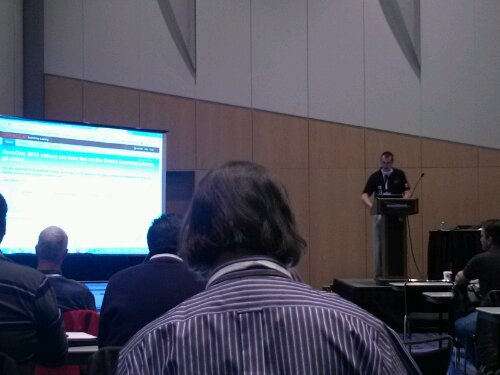
Tim Gorman (in the shadows) giving the last talk

Tim Gorman (in the shadows) giving the last talk

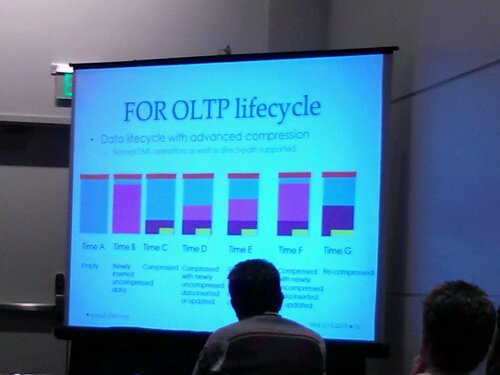
Tim gave some pretty detailed explanations and tried to depict how compression works with some nice graphics. He also told us which ones cost additional license fees.

Data Lifecycle when using Compress for OLTP

Data Lifecycle when using Compress for OLTPut how have

For me, the most useful part was his explanation about how having columns at the end of the table allows a default sort of compression to take place. I had heard this a long time ago. It was the reason so many of us were taught to put all mandatory columns at the beginning of the table – it saves space. In recent years I have been told by various DBAs that the rule no longer applies or made sense.

They were wrong! Tim gave us a real world example of how putting populated columns at the end of a table cost a lot of extra space to be used.

I will be taking that tidbit of information back to the office for sure.

You can follow Tim on Twitter @timothyjgorman.

A side note about RMOUG: At lunch, Tim shared with the attendees an agenda from 1991 for the 2nd RMOUG Training Days. We now realize that we started this event in 1990 and next year will be the 25th anniversary! (I say “we” because I was part of the planning committee back then and one of the early speakers too).

Another interesting notes was that 2/3 of the speakers came form out of town. Many, including me, paid there own way. Several speakers and attendees I know even had to take vacation time from their jobs to attend.

It is that important and that good an event!

So put it on your calendar to attend what is probably the most successful and longest running regional Oracle user conferences in the country. It will be in early February 2014. Watch www.rmoug.org for details.

And of ocurse count on me to post it here too.

Ciao for now! I am off to ski with some RMOUGers tomorrow.

Kent

RMOUG Training Days 2013 – OTN Lab Day

Today  I arrived in Denver to attend the annual Rocky Mountain Oracle Users Group (RMOUG) Training Days conference. It is one of, if not the, most successful local Oracle user group events in the United States (and has been for many years). For the past few years it has been held at the Denver Convention Center (which is guarded by a big blue bear).

Big Blue Bear

Big Blue Bear

It has a been a few years since I have been able to attend and I am glad to be back. I am attending and presenting (as I posted last week).

Today, I was mostly in attendee mode and got to attend a lab session hosted by a few of my friends from Oracle product management (Jeff Smith, Kris Rice, and David Peake). They did an end-to-end, soup-to-nuts session taking the attendees through using SQL Developer Data Modeler to design a database, then SQL Developer to build the tables, then Oracle Application Express (APEX) to build a web based interface to add and view data in that database.

OTN Developer Lab

OTN Developer Lab

And all this was done using an Oracle virtual machine downloadable from OTN.

Unfortunately it would not load on my machine (figures) so I paired up with my long-time friend Jon Arnold and did the labs together.

David Peake Teaches APEX

David Peake Teaches APEX

I learned quite few interesting things and got re-introduced to APEX (which s a very cool tool). I need to look some more at the Interactive Reporting feature for sure.

The coolest thing was that APEX can be used to build applications that run on mobile devices. All point and click development to do it too. APEX has been used to build some pretty big apps for some pretty big companies (including Oracle).

APEX Mobile

APEX Mobile

Another cool thing I learned was that the default install of APEX (a no-cost option with every Oracle database) comes with a bunch of packaged application that are ready to use and a bunch of sample apps for oyu to start with to try out different APEX features. You really need to check this tool out.

Tomorrow will be busy.

I was officially added to the agenda at 7 AM to teach my morning Chi Gung class.

Then I have two presentations to do and a networking lunch session.

Then dinner with some friends and soe good Colorado Mexican food (and adult beverages).

Stay tuned…

Kent

Post Navigation