The Data Warrior

Changing the world, one data model at a time. How can I help you?

Archive for the tag “#BetterDataModeling”

Better Data Modeling: What is #DataVault 2.0 and Why do I care?

Have you heard?

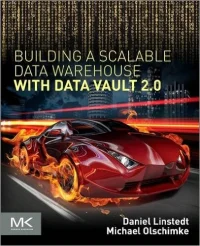
Dan Linstedt has just had his new book published on Data Vault 2.0. It is called Building a Scalable Data Warehouse with Data Vault 2.0. If you are at all into data warehousing and agile design, you need to get this book now. So click here and be done.

For those of you not sure what this DV 2.0 stuff is all about and why you might want to learn about it, I recently did a series of guest posts for Vertabelo to introduce folks to the concepts. In the series I walk you through some of the history of Data Vault and why we need a new way to do data warehousing. Then I get into the basics of modeling the Data Vault, the Business Vault, and finally building Information Marts from a Data Vault.

So you can find the posts here:

Data Vault 2.0 Modeling Basics

The Business Data Vault

Building an Information Mart with Your Data Vault

Once you have read these, I am sure you will want to go buy the new Data Vault 2.0 book and maybe sign up for some online training on DataVaultAlliance.com.

Model on!

Kent

The Data Warrior

P.S. If you want to catch up, you can still purchase the original Data Vault (1.0) modeling book Super Charge Your Data Warehouse. It is a great reference book to have on hand (you can get it on Kindle too). Might as well have the whole set.

P.P.S. I turned this series into a Kindle ebook for easier reference, you can find it on my Author Profile or just click on the book cover in the right side bar above.

SALE: Oracle SQL Developer Data Modeler Jump Start

So in honor of the upcoming #OOW15 and User Group Sunday Symposiums, I decided to put my video workshop for #SQLDevModeler on Sale!

Why use #SQLDevModeler?

If you were an Oracle Designer user and are looking for a replacement data modeling tool, or you are using one of the other mainstream, expensive modeling tools and want a more cost effective alternative, then you owe it to yourself to look at Oracle SQL Developer Data Modeler (SDDM). Data Modeler has been around for years now and is up to version 4.1. It really is an industrial strength data modeling tool that can be used for any data modeling task you need to tackle. (And it works with MS SQL Server and DB2, not just Oracle.)

#SQLDevModeler is a fully functional tool provided for FREE by Oracle. It has many features built in that can be leveraged to capture the design of an existing (probably undocumented) database and re-engineer it or you can use it to design a new database, even a data warehouse from scratch. There are features to apply standards, and then generate DDL to implement your newly standardized design. You can even use one logical model to develop multiple physical models that can be deployed to different RDBMS. You also have options on the type of notation used in the diagrams (i.e., Barker, IE, etc.).

Workshop? What Workshop?

I’m so glad you asked! 😉

Since there was no one around teaching classes on SDDM, I figured I should build one that would be easily accessible and show you exactly how to use the tool for the most common data modeling tasks.

This workshop will start from a totally blank page and walk you through all the major features and options of the tool to show you how to design build and deploy a database. I provide lots of examples and tips on how to do all this so that you can quickly be productive.

In this workshop, I introduce you to the tool and show you how to use some of the cool features I use almost daily. I provide step-by-step instructions on how to use these features.

In this 4+ hour long workshop you will see:

  • How to create new objects from a blank page
  • How to build a logical ERD (with sub-types!)
  • How to reverse engineer and document existing databases
  • How to reverse engineer logical models from physical
  • How to use the visual view builder
  • How to use the interactive view testing tool
  • How to reconcile a model to the database or the database to a model
  • How to generate DDL for multiple RDBMSs (Not Just Oracle!)
  • How to generate a script to change an existing database

Tips, tricks and features I will demonstrate:

  • Modifying the delivered reporting templates
  • How (and when) to use the abbreviations utility
  • How to use and apply domains
  • How to create and applying object naming templates
  • How to add audit columns to every table
  • How to add custom design rules for model quality checks
  • How to use the built in quality checks
  • How to use the newest find and extract feature to enable updating table and column comments by end users
  • How to generate a simple data dictionary

As an added bonus, in addition to step by step slides, I also give you a live demonstration of important aspects of the tool.

By the end of the workshop you will be able to effectively use Oracle SQL Developer Data Modeler for all your data modeling tasks.

So how about a sample?

The platform that we used to deliver the video is pretty darn good, but I figured you might want to see what the content looks like so here are two modules taken right out of the class. The first one talks about using sub views in SDDM, and the 2nd one talks about creating Entities.

Enjoy!

 Subviews

Entities

Sale Coupon!

So ready to sign up?

Great. Go here to get right in!

Normally the price is $1299  (which is MUCH less than you would have to pay me to come to your office and teach you myself), but for a limited time, I am giving a big discount so that even more folks can afford it.

Use coupon code KentSDDM to get $300 off the regular price.

I am sure you will find this a very useful workshop with examples you can use (yes there are a few downloads when you finish the class). The examples alone will save you a bunch of time and money.

But don’t take my word for it:

So sign up today, start watching, then you can ask me questions at #OOW15!

Cheers.

Kent

The Data Warrior

P.S. The sale will not last long, so be sure to jump in now to save $300 while you can. Go on, sign up here (you know you should).

The best FREE data modeling tool ever

Yup, I said FREE!

Oracle just released the latest and greatest version of SQL Developer Data Modeler  (SDDM) and it is free to the world to not only download but to use in your production environment to develop all your models.

As many of you know, I have been using this tool for several years now and have mentioned it many times on various LinkedIn forums (just search for me and check out my activity). I have used SDDM for both Oracle and SQL Server. For forward engineering and reverse engineering. For conceptual, logical, and physical data models.

I think it is a great tool (even if it was not free).

I loved Oracle Designer and got quite good at that, but once shops stopped buying and using Designer (and Oracle pretty much sun-setted the tool), I suffered for a few years using other tools.

I was a very happy camper when Oracle came out with this new data modeling tool. I am even happier now with the new features they have added.

The one I like the most, so far, is the visual editor they added for defining views. The previous version had a decent declarative approach that allowed you to specify tables, columns, and joins, but you could not really “see” the implied data model.

The newest version of SDDM (version 3.1) has added in a visual editor that shows you a diagram of the tables, columns, and joins. So now when you open (or define) a view and press the “query” property button you get drag and drop interface to build the view and a nice visual diagram.

And the best part is when you upgrade your existing models from previous versions, the old views automatically get diagrammed.

To get the best out of the new version you need to run a one time utility labeled “Parse Older Style Views”. You can find that off the right mouse menu in any diagram with views. It runs very fast and basically reads the SQL for your views then parses it out to show up properly in the diagram.

One nice new feature with the parsed views is that if the underlying tables in the view are part of the same design file (hopefully you did not drop those), then the view object on your diagram will now list those tables below all the columns. This is nice because now I do not have to open the view definition to see which tables the view is pulling from.

The other great new feature is the “Test Query” button on the view property dialog.

No more writing views that do not work. You press the button, specify a database connection to use, then the base query for the view fires.

If there is an error in your syntax, or a table you don’t have access to, you find out immediately.

So gone are the days of writing the view in your modeling tools, loging into SQL Plus or SQL Developer, testing the view, having it fail, then going back to SDDM to fix it.

Now you can do agile view development! In one tool!

Neat!

Oh, and if the view works, there is a data tab so you can see the actual data the view will produce – live. Right in the data modeling tool.

Pretty cool.

Nice job guys.

Convinced yet? Head over to the Oracle site and download your own copy and give it try.

UPDATE 2015: Data Modeler is now up to version 4.1 and going strong. Plus now there is an Oracle Press book available on Amazon: http://www.amazon.com/Oracle-Developer-Modeler-Database-Mastery-ebook/dp/B00VMMR9EA/

And I even have a tips and tricks Kindle book out on SDDM. You can find that here.

Let me know what you think in the blog comments.

Talk to you all later.

Kent

P.S. For all the new features in SDDM 4.1 check out the full list over here.

P.P.S Need training on SDDM? Check out my post about my new workshop.

Post Navigation