The Data Warrior

Changing the world, one data model at a time. How can I help you?

Archive for the tag “Data Warehouse”

Better Data Models: Early Black Friday Data Model Book Sale!

I am truly thankful for the career I have in Oracle, data modeling and data warehouse design.

And I am thankful for you, my loyal readers and followers!

So, in honor of American Thanksgiving and our crazy Black Friday and Cyber Monday insane shopping addiction, I am putting my Kindle ebook on SALE!

Get my book A Check List for Doing Data Model Design Reviews for 34% off starting 8 AM PST Thanksgiving Day (November 29th).

Just go here on Amazon.com.

This is a limited time sale which ends next week on December 5th.

Get a copy for your favorite data modeler!

Happy Thanksgiving and Happy Shopping!

Kent

P.S. For all my overseas friends attending the #UKOUG_Tech13 event next week, you can go here for a similar sale from Sunday December 1st though December 7th.

Agile Data Warehouse Modeling: How to Build a Virtual Type 2 Slowly Changing Dimension

One of the ongoing complaints about many data warehouse projects is that they take too long to delivery. This is one of the main reasons that many of us have tried to adopt methods and techniques (like SCRUM) from the agile software world to improve our ability to deliver data warehouse components more quickly.

So, what activity takes the bulk of development time in a data warehouse project?

Writing (and testing) the ETL code to move and transform the data can take up to 80% of the project resources and time.

So if we can eliminate, or at least curtail, some of the ETL work, we can deliver useful data to the end user faster.

One way to do that would be to virtualize the data marts.

For several years Dan Linstedt and I have discussed the idea of building virtual data marts on top of a Data Vault modeled EDW.

In the last few years I have floated the idea among the Oracle community. Fellow Oracle ACE Stewart Bryson and I even created a presentation this year (for #RMOUG and #KScope13) on how to do this using the Business Model (meta-layer) in OBIEE (It worked great!).

While doing this with a BI tool is one approach, I like to be able to prototype the solution first using Oracle views (that I build in SQL Developer Data Modeler of course).

The approach to modeling a Type 1 SCD this way is very straight forward.

How to do this easily for a Type 2 SCD has evaded me for years, until now.

Building a Virtual Type 2 SCD (VSCD2)

So how to create a virtual type 2 dimension (that is “Kimball compliant” ) on a Data Vault when you have multiple Satellites on one Hub?

(NOTE: the next part assumes you understand Data Vault Data Modeling. if you don’t, start by reading my free white paper, but better still go buy the Data Vault book on LearnDataVault.com)

Here is how:

Build an insert only PIT (Point-in-Time) table that keeps history. This is sometimes referred to as a historicized PIT tables.  (see the Super Charge book for an explanation of the types of PIT tables)

Add a surrogate Primary Key (PK) to the table. The PK of the PIT table will then serve as the PK for the virtual dimension. This meets the standard for classical star schema design to have a surrogate key on Type 2 SCDs.

To build the VSCD2 you now simply create a view that uses the PIT table to join the Hub and all the Satellites together. Here is an example:

Create view Dim2_Customer (Customer_key, Customer_Number, Customer_Name, Customer_Address, Load_DTS)
as
Select sat_pit.pit_seq, hub.customer_num, sat_1.name, sat_2.address, sat_pit.load_dts
from HUB_CUST hub,        
          SAT_CUST_PIT sat_pit,        
          SAT_CUST_NAME sat_1,        
          SAT_CUST_ADDR sat_2
where  hub.CSID = sat_pit.CSID           
    and hub.CSID = sat_1.CSID           
    and hub.CSID = sat_2.CSID           
    and sat_pit.NAME_LOAD_DTS = sat_1.LOAD_DTS           
    and sat_pit.ADDRESS_LOAD_DTS = sat_2.LOAD_DTS 
 

Benefits of a VSCD2

  1. We can now rapidly demonstrate the contents of a type 2 dim prior to ETL programming
  2. With using PIT tables we don’t need the Load End DTS on the Sats so the Sats become insert only as well (simpler loads, no update pass required)
  3. Another by product is the Sat is now also Hadoop compliant (again insert only)
  4. Since the nullable Load End DTS is not needed, you can now more easily partition the Sat table by Hub Id and Load DTS.

Objections

The main objection to this approach is that the virtual dimension will perform very poorly. While this may be true for very high volumes, or on poorly tuned or resourced databases, I maintain that with today’s evolving hardware appliances  (e.g., Exadata, Exalogic) and the advent of in memory databases, these concerns will soon be a thing of the past.

UPDATE 26-May-2018  – Now 5 years later I have successfully done the above on Oracle. But now we also have Snowflake elastic cloud data warehouse where all the prior constraints are indeed eliminated. With Snowflake you can now easily chose to instantly add compute power if the view is too slow or do the work and processing to materialize the view. (end update)

Worst case, after you have validated the data with your users, you can always turn it into a materialized view or a physical table if you must.

So what do you think? Have you ever tried something like this? Let me know in the comments.

Get virtual, get agile!

Kent

The Data Warrior

P.S. I am giving a talk on Agile Data Warehouse Modeling at the East Coast Oracle Conference this week. If you are there, look me up and we can discuss this post in person!

Another Quick Tip for SQL Developer Data Modeler

Not sure how I missed this little utility, but I did.

Ever need to quickly build a set of views on a set of tables to create a read-only data layer you could expose to some users or processes?

Well as I am developing a new data warehouse for my current client, we decided to control access by creating a read-only user that would hold views that pointed back to our main data warehouse schema. The BI tool points to the read only schema (for now anyway).

Anyway, under the Tools menu I found a Table to View generator.

Under the Tools menu look for the Wizard to create a view definition based on a table

Under the Tools menu look for the Wizard to create a view definition based on a table

Once you select it from the menu you get a dialog box with all the tables in your model selected. So with one push of a button you have views on all the tables.

Get a list of table to convert and Select or Deselect all

Get a list of table to convert and Select or Deselect all

Then you can edit the views, if needed, using the view query builder.

Or you can select (or de-select) specific tables to build views on.

Even better – the tool applies a naming standard on the output view names (v_<table name>).

On top of this, if you happen to have some views (maybe for testing?) that you want to turn into tables and then populate with an ETL process, right below the first wizard is an option to create a table definition from the view definition.

Now granted most of you can easily do either of these tasks using plain old SQL, but imagine you need to do it for several hundred tables.

This little wizard would save you a ton of time (and testing).

And you will have a documented data model when you are done.

So go give it a try!

Later.

Kent

NB: I am taking a little downtime in early August so don’t look for any new posts until near the end of the month.

KScope13 Day Three: Crossing Over in New Orleans

Well Tuesday was another fun and fact filled day at the annual ODTUG KScope conference in New Orleans.

As we do each morning, the first event is Morning Chi Gung. This morning the group grew again to 22 participants who met at 6:45 AM (yes it is early) to walk down the street a few blocks to get in some morning moving meditation. Today we even picked up a few “strays” who joined us (folks not part of the KScope event).

Only in New Orleans would people wander by and join an Ad Hoc exercise and meditation class.

I consider that a sign of success. 🙂

After that is was back to the hotel, breakfast, a quick shower, then my first session.

Hands-on Lab

To start off I went to the SQL Developer Hands-on Lab run by Oracle Product Managers Jeff Smith and Ashley Chen. We had a very nice lab (downloadable from OTN) on how to use SQL Developer for Tuning database queries.

It was very education and useful for me. I even learned a few new options in the tool I had not seen before.

Lunch and Learn

Next, after writing yesterday’s blog post, I got to participate it an ODTUG annual session – the BI Panel Lunch and Learn.

This year they improved it by allowing 30 minutes first for everyone to eat before we started the discussions and questions. Much better (at least for us panelists!).
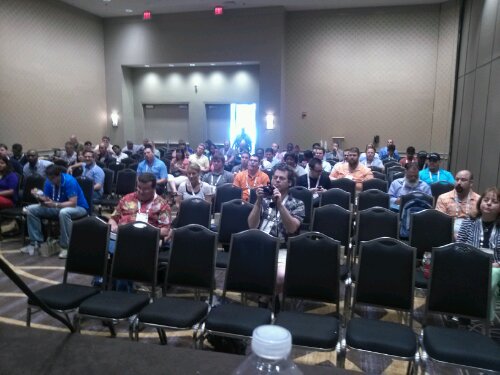
Quite a good audience for the Oracle ACE BI Lunch & Learn Panel discussion

Quite a good audience for the Oracle ACE BI Lunch & Learn Panel discussion

We had a great and interactive session with lots of give and take and a few somewhat controversial comments from Dan Vlamis to liven things up a bit. Our esteemed moderator, Mark Rittman, did an excellent job of prompting us with relevant questions and controlling the flow of the conversation so everyone had their say. Rounding out the panel was Gurcan Orchan, our resident ODI expert (amoung many other things)

Data modeling sessions

After the panel I went on to see my friend Ashely Chen introduce people to SQL Developer Data Modeler in her Data Modeling 101 session.
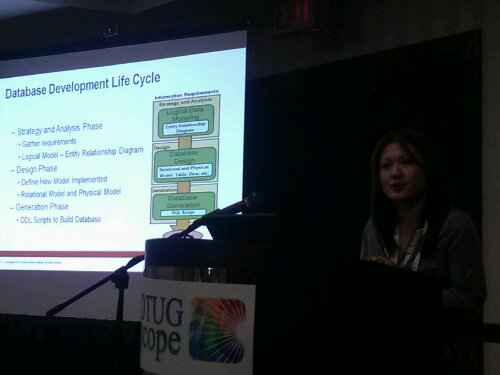
Oracle Product Manager Ashley Chen presenting Data Modeling 101 with SQL Developer Data Modeler

Oracle Product Manager Ashley Chen presenting Data Modeling 101 with SQL Developer Data Modeler

Ashley dd a great job setting the stage by showing people what is meant by data modeling and how it fits in the life cycle of developing a database. She then showed many of the basic features of Oracle Data modeling tool.

After Ashley’s session then I had my final presentation on my Top 10 Cool Features in SQL Developer Data Modeler. Ashley and Jeff Smith both attended along with 20-30 other folks as I ran down my list of things I use and like in the tool.

The talk went well with some good questions about the product and how to use it (except for the fact I kinda ran out of time and had to rush the last 3 features). I got some great feedback from Jeff and Ashley on the talk and an excellent suggestion for my next talk. 😉

The Hyperion Crossover Session

This was a KScope first -sessions about topics aimed at people on the other side of the fence. So this session was for database people who know nothing about the Hyperion and Essbase products that Oracle acquired a few years back.

It was an excellent session, even if not highly attended (something about being after the happy hour in the exhibit hall perhaps?).

Andy Jorgenson conducts the first ever Hyperion 101 Crossover Session (for database people)

Andy Jorgenson conducts the first ever Hyperion 101 Crossover Session (for database people)

I learned that they are solving many of the same problems as we database people do but just with a different technology. Some of the terms are used a little differently. For example what they label as BI is much broader than I tend to think of – to them it is basic reporting against an ERP. I tend to associate BI with a data warehouse or a data mart (but the data comes from an ERP or operational system originally).

We also got a full list of some of the pre-packased applications that Oracle provides in this space. Very focused on financial solutions.

During the Hyperion 101 session, Andy discussed all the pre-built packaged analytic application that Oracle offers.

During the Hyperion 101 session, Andy discussed all the pre-built packaged analytic application that Oracle offers.

The really cool thing I learned was what Essbase stands for:

Extended SpreadSheet dataBASE

Very telling!

After that it was off to another fine dining experience in the French Quarter.

Probably not going to lose weight on this trip!

C’ya! Tomorrow I should be reporting on our big event!

Kent

Free Introduction to Data Warehousing the Data Vault Way

My good friend Dan (@dlinstedt) has put together a sweet set of three videos to introduce everyone to the wonderful world of Data Vault.

When you sign up you will get a set of email messages from Dan discussing the Data Vault Approach to data warehousing. You get access to three videos about the architecture, the methodology, and the modeling technique.

Plus you get free downloads of the first few chapters of the data vault book Super Charge Your Data Warehouse.

So if you have always wanted to learn more about Data Vault, but don’t have the budget for a full on class, this offer will get you headed in the right direction.

Head on over to the Learn Data Vault site now. It is all free.

(NB: this is an affiliate link. If you eventually buy the book or some other training off Dan’s site, I will get a small piece of the action. Not enough to retire mind you, but it might buy lunch.)

The videos are pretty cool. Enjoy.

Kent

Post Navigation